Django是一个常用的Python Web框架,开发中可能遇到一些难以解决的异常。ImportError 'QUERY_TERMS'。TypeError: render()。RuntimeError: INSTALLED_APPS。__str__ returned non-string。DRF报错AssertionError。Un ...

1.Django xadmin数据迁移报错ImportError: cannot import name ‘QUERY_TERMS’ 在进行Django xadmin数据迁移时报错: from django.db.models.sql.query import LOOKUP_SEP, QUERY_TERMS ImportError: cannot import name 'QUERY_TERMS' from 'django.db.models.sql.query' (C:\Users\LENOVO\.virtualenvs\Django_Vue_Fresh_Ecommerce-NKba4OvD\lib\site-packages\django\db\models\sql\query.py) 由于xadmin的更新跟不上Django的更新,因此导致了xadmin的很多代码出错,需要进行修改,这里将xadmin\plugins\filters.py中 2.Django xadmin报错TypeError: render() got an unexpected keyword argument ‘renderer’ 在Django登录进入xadmin后台时,在添加小部件时,会报错,如下: return widget.render(TypeError: render() got an unexpected keyword argument 'renderer' 解决办法有两种:
return widget.render(
    name=self.html_initial_name if only_initial else self.html_name,
    value=self.value(),
    attrs=attrs,
    # renderer=self.form.renderer,)
此时再点击Add Budgets就不会再报错了。
两种方法皆可,但是个人建议采用第二种方法,因为xadmin是外部引入到extra_apps作为外部的app,本身就可能经过了一定修改,在此基础上再修改也影响不大,而django是虚拟环境所带的依赖库,相当于是系统文件,因此不要轻易修改。 3.Django xadmin报错RuntimeError: isn’t in an application in INSTALLED_APPS. 在进行数据库映射时,报错如下: raise RuntimeError(RuntimeError: Model class django.contrib.admin.models.LogEntry doesn't declare an explicit app_label and isn't in an application in INSTALLED_APPS. 解决办法是在settings.py中的INSTALLED_APPS中增加 INSTALLED_APPS = [
'django.contrib.auth',
'django.contrib.contenttypes',
'django.contrib.sessions',
'django.contrib.messages',
'django.contrib.staticfiles',
'apps.users.apps.UsersConfig',
'goods',
'trade',
'user_operation',
'DjangoUeditor',
'xadmin',
'crispy_forms',
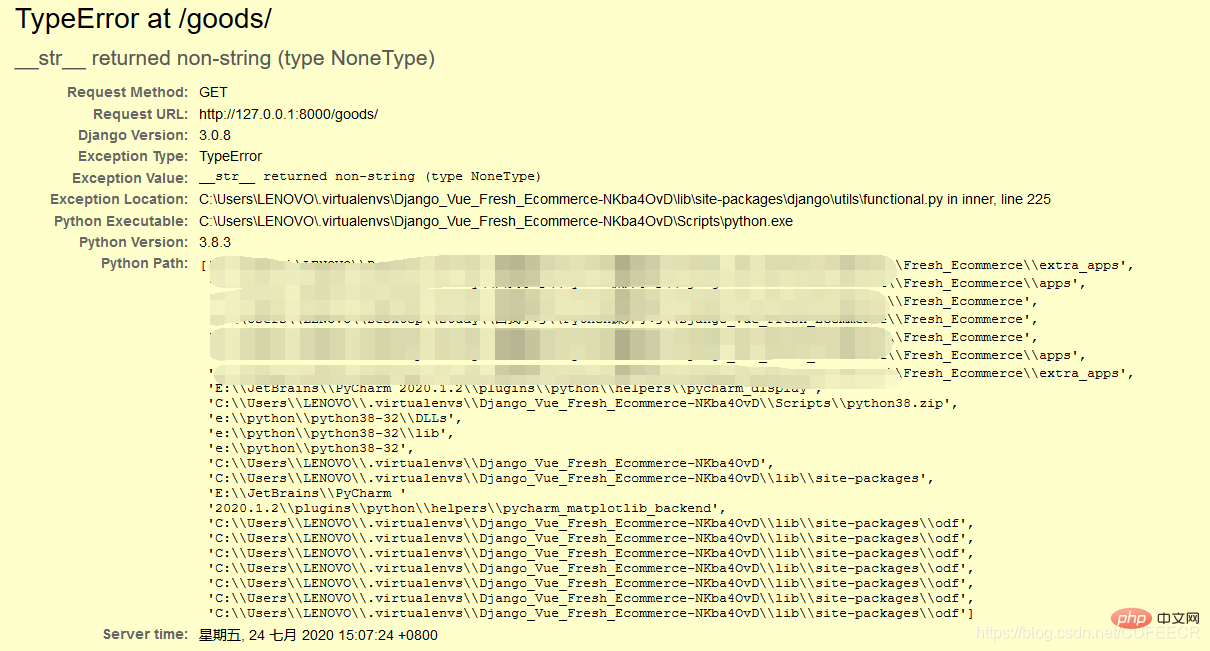
'django.contrib.admin']4.Django配置Restful framework报错__str__ returned non-string (type NoneType) 在Django项目中配置Restful framework时,报错__str__ returned non-string (type NoneType),如下: class UserProfile(AbstractUser):
'''用户'''
name = models.CharField(max_length=30, null=True, blank=True, verbose_name='姓名')
birthday = models.DateField(null=True, blank=True, verbose_name='出生日期')
gender = models.CharField(max_length=6, choices=(('male', u'男'), ('female', u'女')), default='female',
verbose_name='性别')
mobile = models.CharField(max_length=11, verbose_name='电话')
email = models.CharField(max_length=50, null=True, blank=True, verbose_name='邮箱')
is_delete = models.BooleanField(default=False, verbose_name='是否删除')
class Meta:
verbose_name = '用户'
verbose_name_plural = '用户'
def __str__(self):
return self.name解决办法有2种:
def __str__(self):
    return self.username
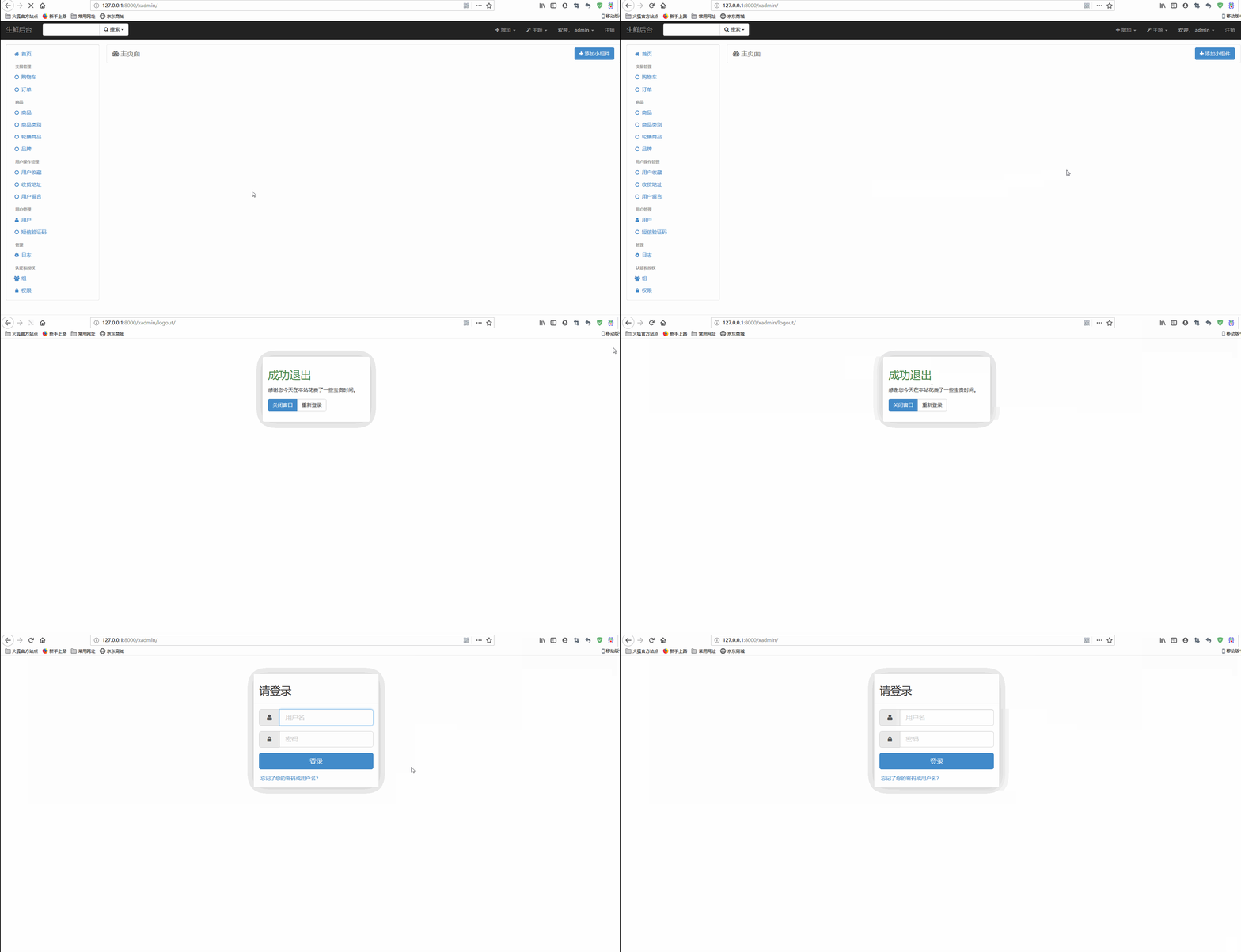
此时不登出后台管理也可以正常访问。 5.DRF报错AssertionError: 在Restful framework中使用过滤器时报错: assert queryset is not None, '`basename` argument not specified, and could ' \ AssertionError: `basename` argument not specified, and could not automatically determine the name from the viewset, as it does not have a `.queryset` attribute. 报错提示很明显, router = DefaultRouter()# 配置goods的路由router.register(r'goods', GoodsListViewSet, basename='goods') 即在urls.py中使用router配置路由时加入basename参数即可。 6.UnorderedObjectListWarning: Pagination may yield inconsistent results with an unordered object_list paginator = self.django_paginator_class(queryset, page_size) XXX\lib\site-packages\rest_framework\pagination.py:200: UnorderedObjectListWarning: Pagination may yield inconsistent results with an unordered object_list: <class 'goods.models.Goods'> QuerySet. paginator = self.django_paginator_class(queryset, page_size) 提示的是无序对象列表警告,意思是对数据结果进行排序,在views.py中取数据时加入排序即可,默认可以按照id进行排序,示意如下: class GoodsListViewSet(mixins.ListModelMixin, viewsets.GenericViewSet):
'''商品列表页,并实现分页、搜索、过滤、排序'''
queryset = Goods.objects.filter(is_delete=False).order_by('id') # 添加根据id排序即可
serializer_class = GoodsSerializer
pagination_class = GoodsPagination
filter_backends = [DjangoFilterBackend, filters.SearchFilter, filters.OrderingFilter]
filter_class = GoodsFilter
search_fields = ['name', 'goods_brief', 'goods_desc']
ordering_fields = ['sold_num', 'shop_price']此时再运行,不再显示警告信息。 7.Django Restful framework中使用JWT实现自定义验证{“non_field_errors”:[“无法使用提供的认证信息登录。”]} 先声明小编使用的Django版本为3.0,后面有用。 # DRF配置REST_FRAMEWORK = {
'DEFAULT_FILTER_BACKENDS': ['django_filters.rest_framework.DjangoFilterBackend'],
'DEFAULT_AUTHENTICATION_CLASSES': [
'rest_framework_jwt.authentication.JSONWebTokenAuthentication',
'rest_framework.authentication.BasicAuthentication',
'rest_framework.authentication.SessionAuthentication',
]}# 自定义用户认证配置AUTHENTICATION_BACKENDS = [
'users.views.CustomBackend',]apps/users/views.py如下: from django.db.models import Qfrom django.contrib.auth.backends import ModelBackendfrom django.contrib.auth import get_user_model
User = get_user_model()# Create your views here.class CustomBackend(ModelBackend):
'''自定义用户验证'''
def authenticate(self, username=None, password=None, **kwargs):
try:
print(123)
user = User.objects.get(Q(username=username)|Q(mobile=username))
if user.check_password(password) and user.is_delete != True:
print(456)
return user except Exception as e:
return Noneurls.py配置如下: from rest_framework_jwt.views import obtain_jwt_token
urlpatterns = [
# JWT认证路由
url(r'^login/', obtain_jwt_token),]但是在模拟请求访问时却未收到token,只提示错误信息
这里要求的最高Django版本为1.9,而我自己的Django版本为3.0,凭直觉立马想到会不会是版本不兼容的问题,导致了某些地方不一致。jwt部分就不说了,本身版本没怎么更新,可能问题出在了Django和DRF上面,而最有可能出问题的就是自定义验证类,CustomBackend继承自ModelBackend,于是我到 class ModelBackend(BaseBackend):
"""
Authenticates against settings.AUTH_USER_MODEL.
"""
def authenticate(self, request, username=None, password=None, **kwargs):
if username is None:
username = kwargs.get(UserModel.USERNAME_FIELD)
if username is None or password is None:
return
try:
user = UserModel._default_manager.get_by_natural_key(username)
except UserModel.DoesNotExist:
# Run the default password hasher once to reduce the timing
# difference between an existing and a nonexistent user (#20760).
UserModel().set_password(password)
else:
if user.check_password(password) and self.user_can_authenticate(user):
return user ...为了验证是否是版本的问题,我在系统环境中安装了JWT指定的Django版本1.9用于进行对比,再查看django.contrib.auth.backends.py: class ModelBackend(object):
"""
Authenticates against settings.AUTH_USER_MODEL.
"""
def authenticate(self, username=None, password=None, **kwargs):
UserModel = get_user_model()
if username is None:
username = kwargs.get(UserModel.USERNAME_FIELD)
try:
user = UserModel._default_manager.get_by_natural_key(username)
if user.check_password(password):
return user except UserModel.DoesNotExist:
# Run the default password hasher once to reduce the timing
# difference between an existing and a non-existing user (#20760).
UserModel().set_password(password)到现在,你们是否发现了什么(^_^)? 哈哈,你猜的没错,是新版中的 8.Django使用DRF实现注册功能报错Got AttributeError when attempting to get a value 在使用DRF实现注册功能时,前端的用户名(手机号)、验证码、邮箱传到后端处理时,由于验证码不属于用户的一个字段,但是为了验证又必须设置该字段,如果不注意,就容易报错,一般如下: raise type(exc)(msg)AttributeError: Got AttributeError when attempting to get a value for field `code` on serializer `UserRegSerializer`.The serializer field might be named incorrectly and not match any attribute or key on the `UserProfile` instance.Original exception text was: 'UserProfile' object has no attribute 'code'. 报错提示很明显,UserProfile没有code属性。具体来说,这是因为Meta中指定了 code = serializers.CharField(max_length=4, min_length=4, write_only=True, label='验证码',
help_text='验证码',
error_messages={
'required': '请输入验证码',
'blank': '请输入验证码',
'max_length': '请输入4位验证码',
'min_length': '请输入4位验证码'
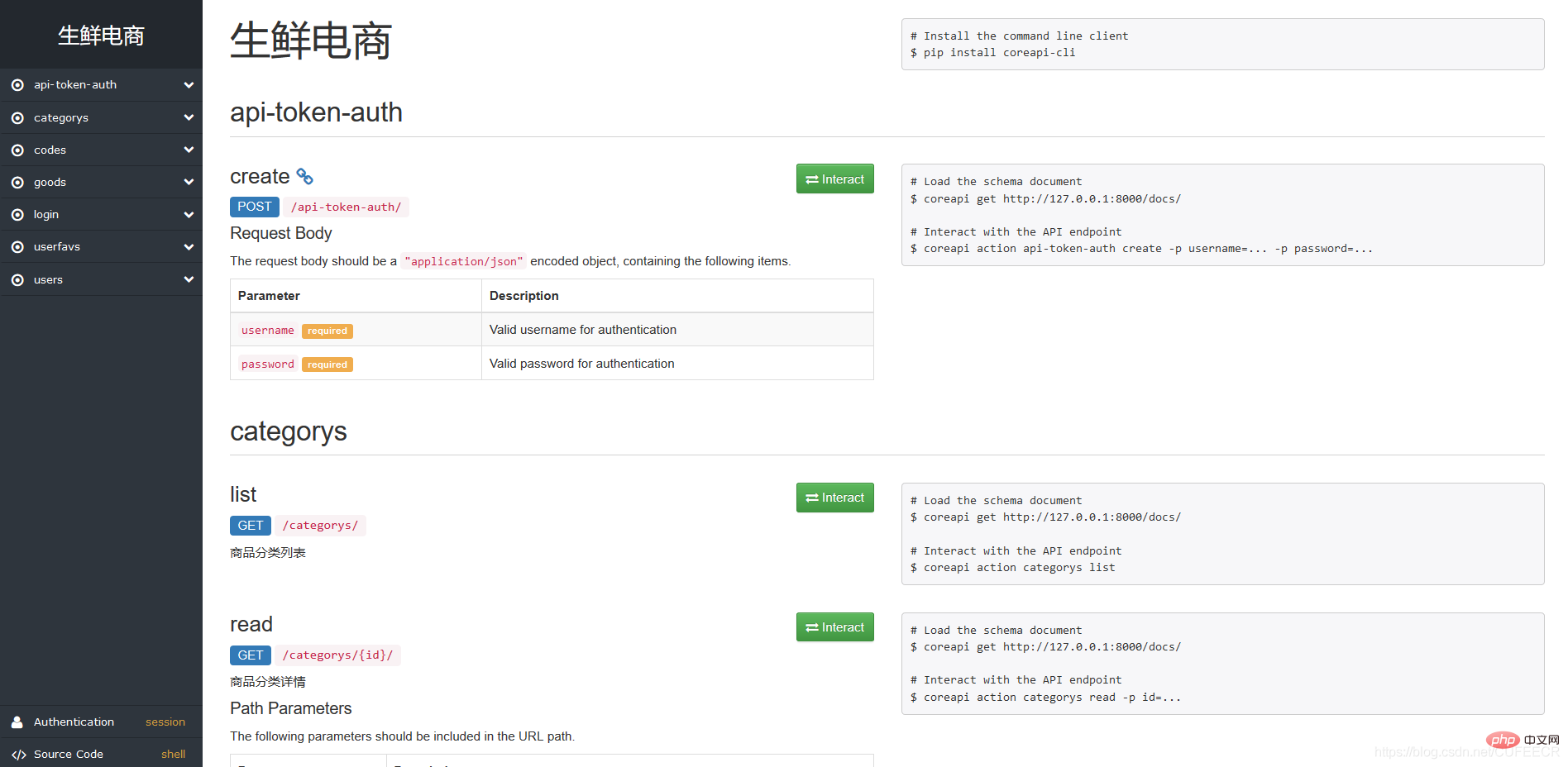
})9.DRF访问文档路由报错AttributeError: ‘AutoSchema’ object has no attribute ‘get_link’ DRF提供了文档功能,无需再专门写文档即可同步使用文档,但是在访问http://127.0.0.1:8000/docs/的时候可能报错: link = view.schema.get_link(path, method, base_url=self.url)AttributeError: 'AutoSchema' object has no attribute 'get_link' 此时需要在settings.py中进行配置: # DRF配置REST_FRAMEWORK = {
...
'DEFAULT_SCHEMA_CLASS': 'rest_framework.schemas.AutoSchema',
...}重新加载之后再次访问就会访问到文档页面,如下: 10.DRF动态设置权限 在DRF中经常会用到权限,一般情况下是在视图ViewSet类下设置属性 def get_permissions(self):
'''动态设置权限'''
if self.action == 'retrieve':
return [IsAuthenticated]
elif self.action == 'create':
return []
return []但是会报错如下: if not permission.has_permission(request, self):TypeError: has_permission() missing 1 required positional argument: 'view' 这是因为返回的可能是权限类,即 以上就是看看 Python Django开发 异常及解决办法的详细内容,更多请关注模板之家(www.mb5.com.cn)其它相关文章! |