urllib是Python中用来处理URL的工具包,本文利用该工具包进行爬虫开发讲解,毕竟爬虫应用开发在Web互联网数据采集中十分重要。文章目录urllibrequest模块访问URLRequest类其他类parse模块解析URL转义URLrobots.txt文 ...
 文章目录
(免费学习推荐:python视频教程) urllib
注意版本差异。
git clone git://github.com/shazow/urllib3.git
python setup.py install
request模块
再简单介绍下 下面将介绍 访问URL 一、 urllib.request.urlopen(url,data=None,[timeout,]*,cafile=None,capath=None,cadefault=false,context=None) 该函数用于抓取URL数据,十分重要。带有如上所示的参数,除了URL参数外(字符串或 ①URL参数 from urllib import requestwith request.urlopen("http://www.baidu.com") as f:
print(f.status)
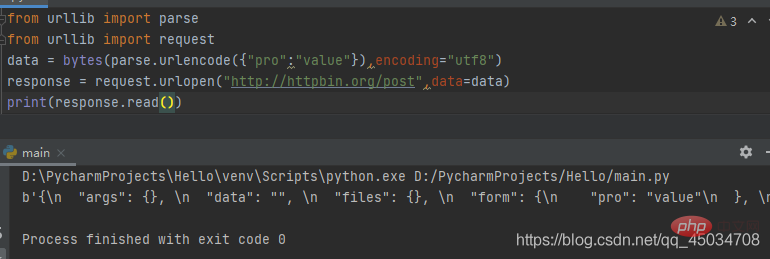
print(f.getheaders())#运行结果如下200[('Bdpagetype', '1'), ('Bdqid', '0x8583c98f0000787e'), ('Cache-Control', 'private'), ('Content-Type', 'text/html;charset=utf-8'), ('Date', 'Fri, 19 Mar 2021 08:26:03 GMT'), ('Expires', 'Fri, 19 Mar 2021 08:25:27 GMT'), ('P3p', 'CP=" OTI DSP COR IVA OUR IND COM "'), ('P3p', 'CP=" OTI DSP COR IVA OUR IND COM "'), ('Server', 'BWS/1.1'), ('Set-Cookie', 'BAIDUID=B050D0981EE3A706D726852655C9FA21:FG=1; expires=Thu, 31-Dec-37 23:55:55 GMT; max-age=2147483647; path=/; domain=.baidu.com'), ('Set-Cookie', 'BIDUPSID=B050D0981EE3A706D726852655C9FA21; expires=Thu, 31-Dec-37 23:55:55 GMT; max-age=2147483647; path=/; domain=.baidu.com'), ('Set-Cookie', 'PSTM=1616142363; expires=Thu, 31-Dec-37 23:55:55 GMT; max-age=2147483647; path=/; domain=.baidu.com'), ('Set-Cookie', 'BAIDUID=B050D0981EE3A706FA20DF440C89F27F:FG=1; max-age=31536000; expires=Sat, 19-Mar-22 08:26:03 GMT; domain=.baidu.com; path=/; version=1; comment=bd'), ('Set-Cookie', 'BDSVRTM=0; path=/'), ('Set-Cookie', 'BD_HOME=1; path=/'), ('Set-Cookie', 'H_PS_PSSID=33272_33710_33690_33594_33600_33624_33714_33265; path=/; domain=.baidu.com'), ('Traceid', '161614236308368819309620754845011048574'), ('Vary', 'Accept-Encoding'), ('Vary', 'Accept-Encoding'), ('X-Ua-Compatible', 'IE=Edge,chrome=1'), ('Connection', 'close'), ('Transfer-Encoding', 'chunked')]②data参数 from urllib import parsefrom urllib import request
data = bytes(parse.urlencode({"pro":"value"}),encoding="utf8")response = request.urlopen("http://httpbin.org/post",data=data)print(response.read())#运行结果如下b'{\n "args": {}, \n "data": "", \n "files": {}, \n "form": {\n "pro": "value"\n }, \n "headers": {\n "Accept-Encoding": "identity", \n "Content-Length": "9", \n "Content-Type": "application/x-www-form-urlencoded", \n "Host": "httpbin.org", \n "User-Agent": "Python-urllib/3.9", \n "X-Amzn-Trace-Id": "Root=1-60545f5e-7428b29435ce744004d98afa"\n }, \n "json": null, \n "origin": "112.48.80.243", \n "url": "http://httpbin.org/post"\n}\n'对数据进行 ③timeout参数 超时后会抛出urllib.error.URLError:<urlopen error time out>异常,可以用try…except来处理异常。 from urllib import request
response = request.urlopen("http://httpbin.org/get",timeout=1)print(response.read())#运行结果如下b'{\n "args": {}, \n "headers": {\n "Accept-Encoding": "identity", \n "Host": "httpbin.org", \n "User-Agent": "Python-urllib/3.9", \n "X-Amzn-Trace-Id": "Root=1-605469dd-76a6d963171127c213d9a9ab"\n }, \n "origin": "112.48.80.243", \n "url": "http://httpbin.org/get"\n}\n'④返回对象的常用方法和属性
from urllib import request
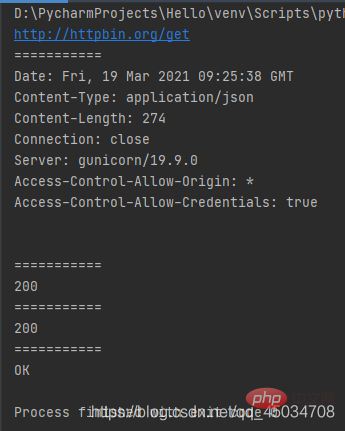
response = request.urlopen("http://httpbin.org/get")print(response.geturl())print("===========")print(response.info())print("===========")print(response.getcode())print("===========")print(response.status)print("===========")print(response.msg)
运行结果:
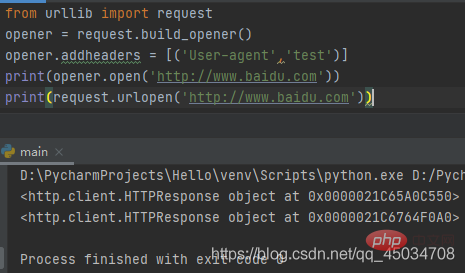
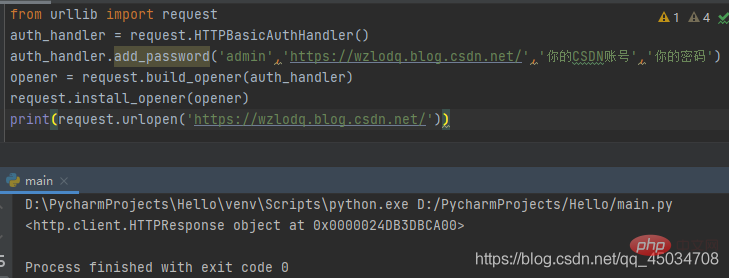
二、 urllib.request.build_opener([handler1 [handler2, ...]]) 该函数不支持验证、cookie及其他HTTP高级功能。要支持这些功能必须使用
实际上urllib.request.urlopen()方法只是一个Opener,如果安装启动器没有使用urlopen启动,调用的就是OpenerDirector.open()方法。那么如何设置默认全局启动器呢?就涉及下面的 三、 urllib.request.install_opener(opener) 安装OpenerDirector实例作为默认全局启动器。
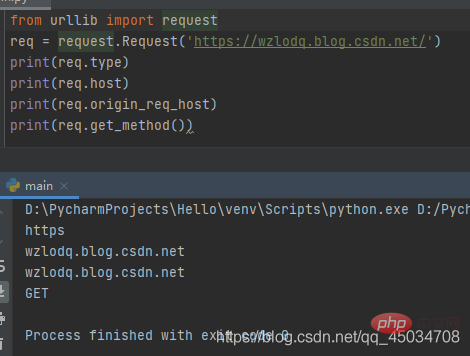
除了上述方法外,还有将路径转换为URL的 Request类 前面介绍的 一、定义 class urllib.request.Request(url,data=None,headers={},origin_req_host=None,unverifiable=False,method=None)
代码示例: from urllib import requestfrom urllib import parse
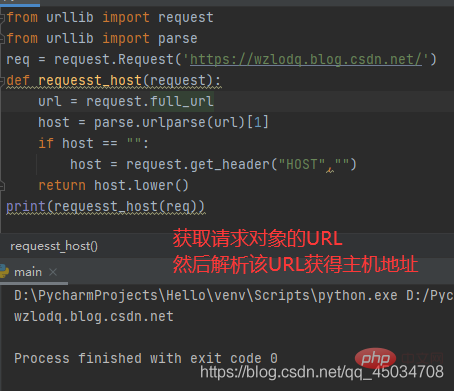
data = parse.urlencode({"name":"baidu"}).encode('utf-8')headers = {'User-Agent':'wzlodq'}req = request.Request(url="http://httpbin.org/post",data=data,headers=headers,method="POST")response = request.urlopen(req)print(response.read())#运行结果如下b'{\n "args": {}, \n "data": "", \n "files": {}, \n "form": {\n "name": "baidu"\n }, \n "headers": {\n "Accept-Encoding": "identity", \n "Content-Length": "10", \n "Content-Type": "application/x-www-form-urlencoded", \n "Host": "httpbin.org", \n "User-Agent": "wzlodq", \n "X-Amzn-Trace-Id": "Root=1-605491a4-1fcf3df01a8b3c3e22b5edce"\n }, \n "json": null, \n "origin": "112.48.80.34", \n "url": "http://httpbin.org/post"\n}\n'注意data参数和前面一样需是字节流类型的,不同的是调用 二、属性方法 ①Request.full_url ②Request.type:获取请求对象的协议类型。
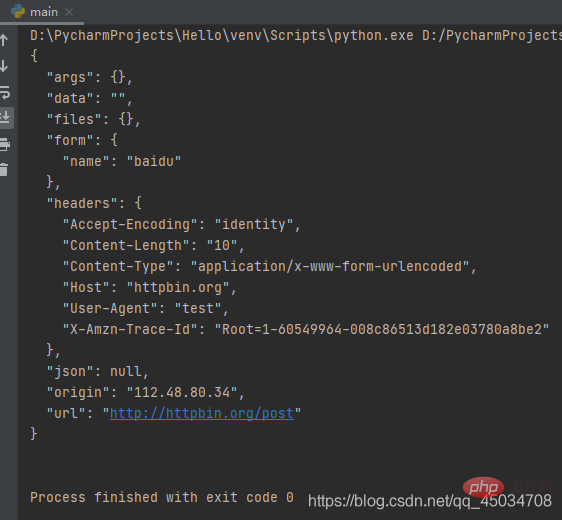
⑥Request.add_header(key,val):向请求中添加标头。 from urllib import requestfrom urllib import parse
data = bytes(parse.urlencode({'name':'baidu'}),encoding='utf-8')req = request.Request('http://httpbin.org/post',data,method='POST')req.add_header('User-agent','test')response = request.urlopen(req)print(response.read().decode('utf-8'))
其他类
parse模块
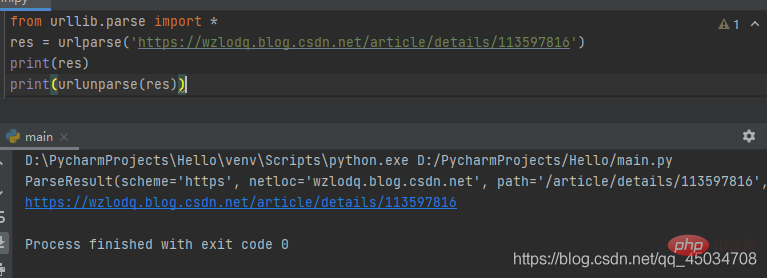
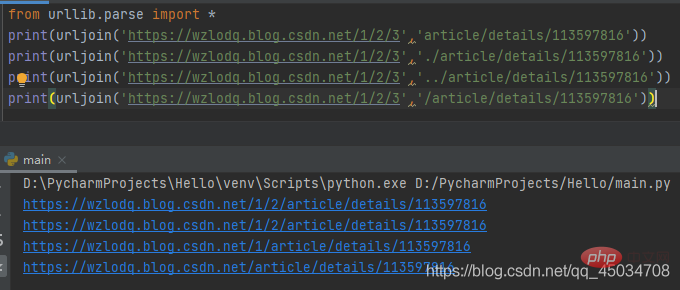
解析URL 一、urllib.parse.
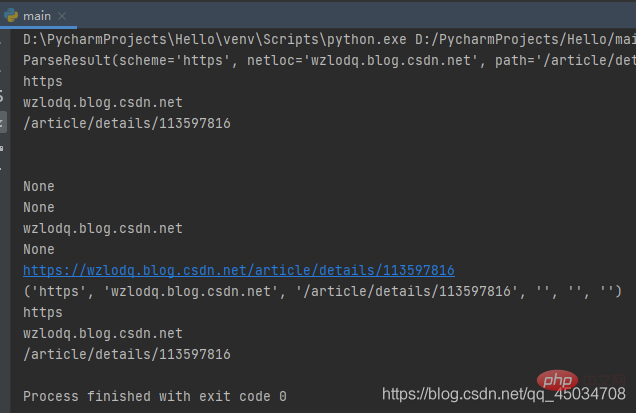
最后组成的URL结构为scheme://netloc/path;parameters?query#fragment from urllib.parse import *res = urlparse('https://wzlodq.blog.csdn.net/article/details/113597816')print(res)print(res.scheme)print(res.netloc)print(res.path)print(res.params)print(res.query)print(res.username)print(res.password)print(res.hostname)print(res.port)print(res.geturl())print(tuple(res))print(res[0])print(res[1])print(res[2])
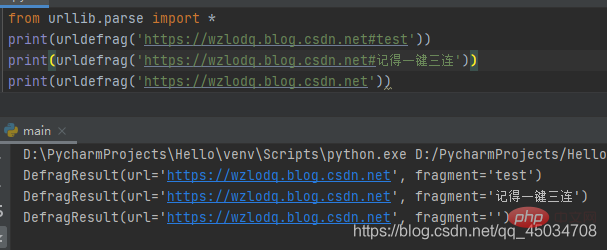
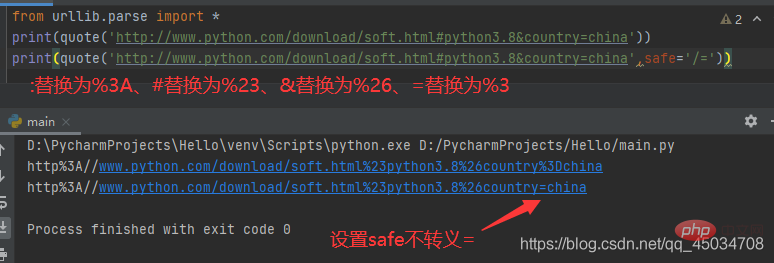
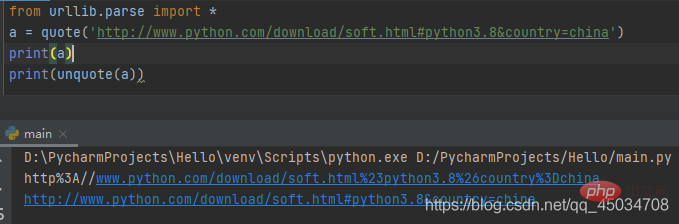
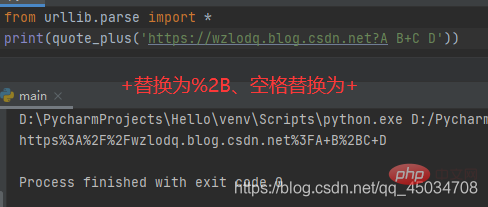
二、urllib.parse. 三、urllib.parse. from urllib.parse import *sp = urlsplit('https://wzlodq.blog.csdn.net/article/details/113597816')print(sp)#运行结果如下SplitResult(scheme='https', netloc='wzlodq.blog.csdn.net', path='/article/details/113597816', query='', fragment='')四、urllib.parse. 五、urllib.parse. 六、urllib.parse. 转义URL URL转义可以避免某些字符引起歧义,通过引用特殊字符并适当编排非ASCII文本使其作为URL组件安全使用。同时也支持反转这些操作,以便从URL组件内容重新创建原始数据。 一、urllib.parse. 二、urllib.parse. 三、urllib.parse. 四、urllib.parse. 五、urllib.parse. robots.txt文件
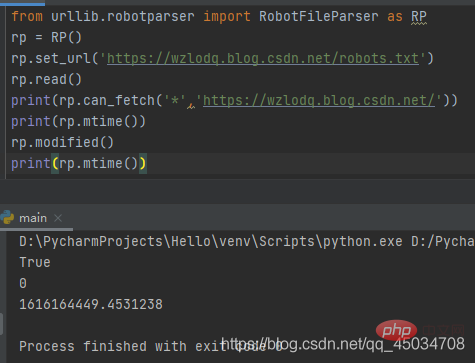
robots文件类似一个协议文件,搜索引擎访问网站时查看的第一个文件,会告诉爬虫或者蜘蛛程序在服务器上可以查看什么文件。
以上就是详解Python之urllib爬虫、request模块和parse模块的详细内容,更多请关注模板之家(www.mb5.com.cn)其它相关文章! |