 推荐(免费):IIS 1、启动iis服务器,打开IIS服务器 打开IIS服务器,点击网站,右击“添加网站” 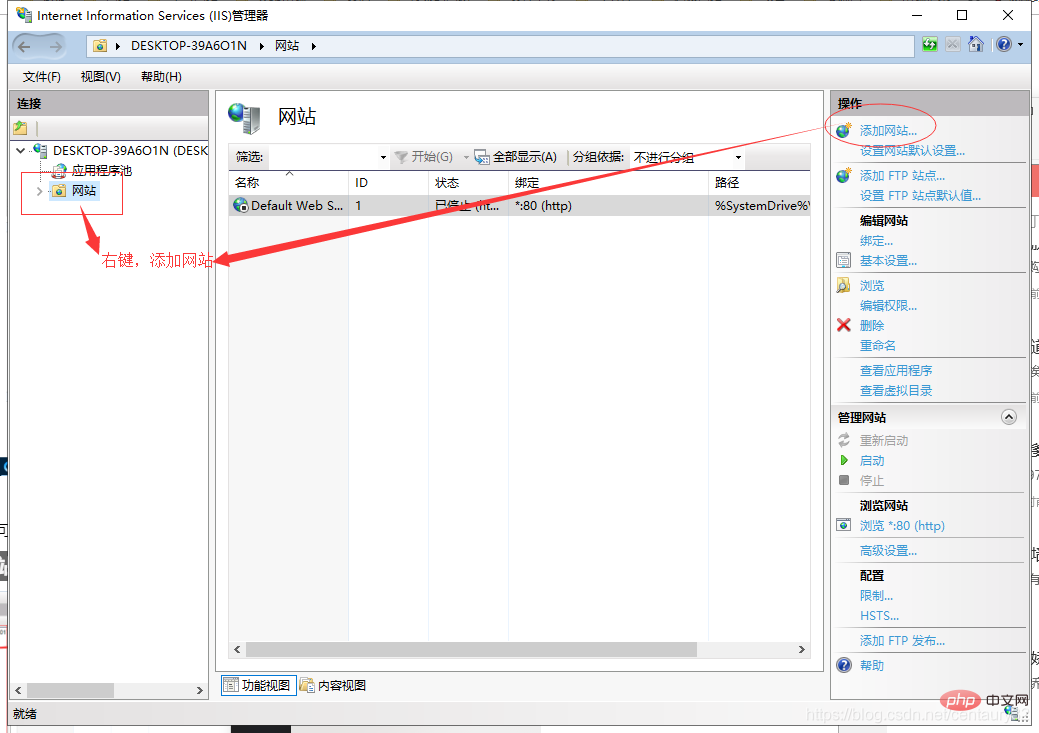
2、创建网站 点击“添加网站”后,进入页面填写网站相关内容,如:网站名称、物理路径(网站所在文件夹),点击“确定”创建成功 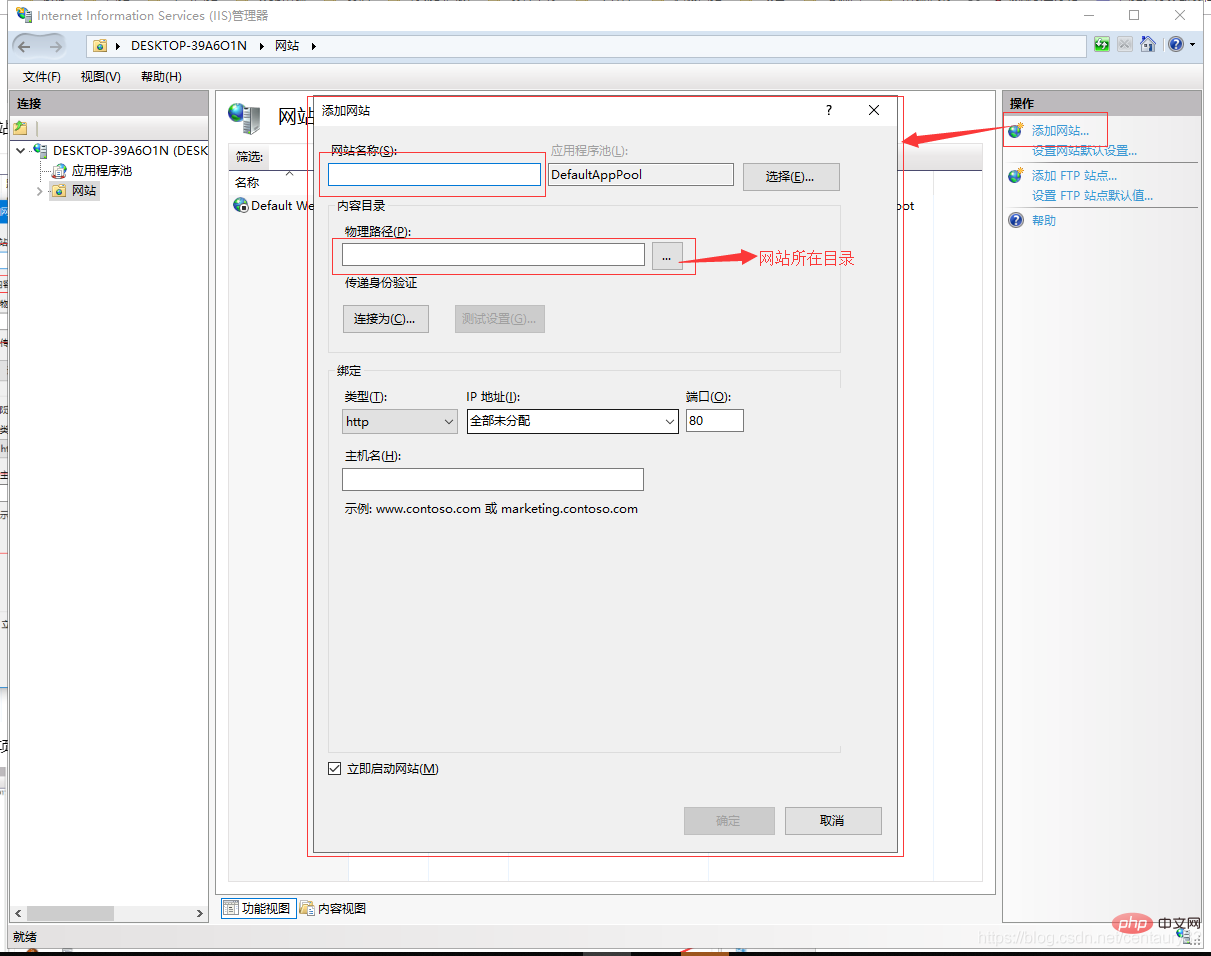
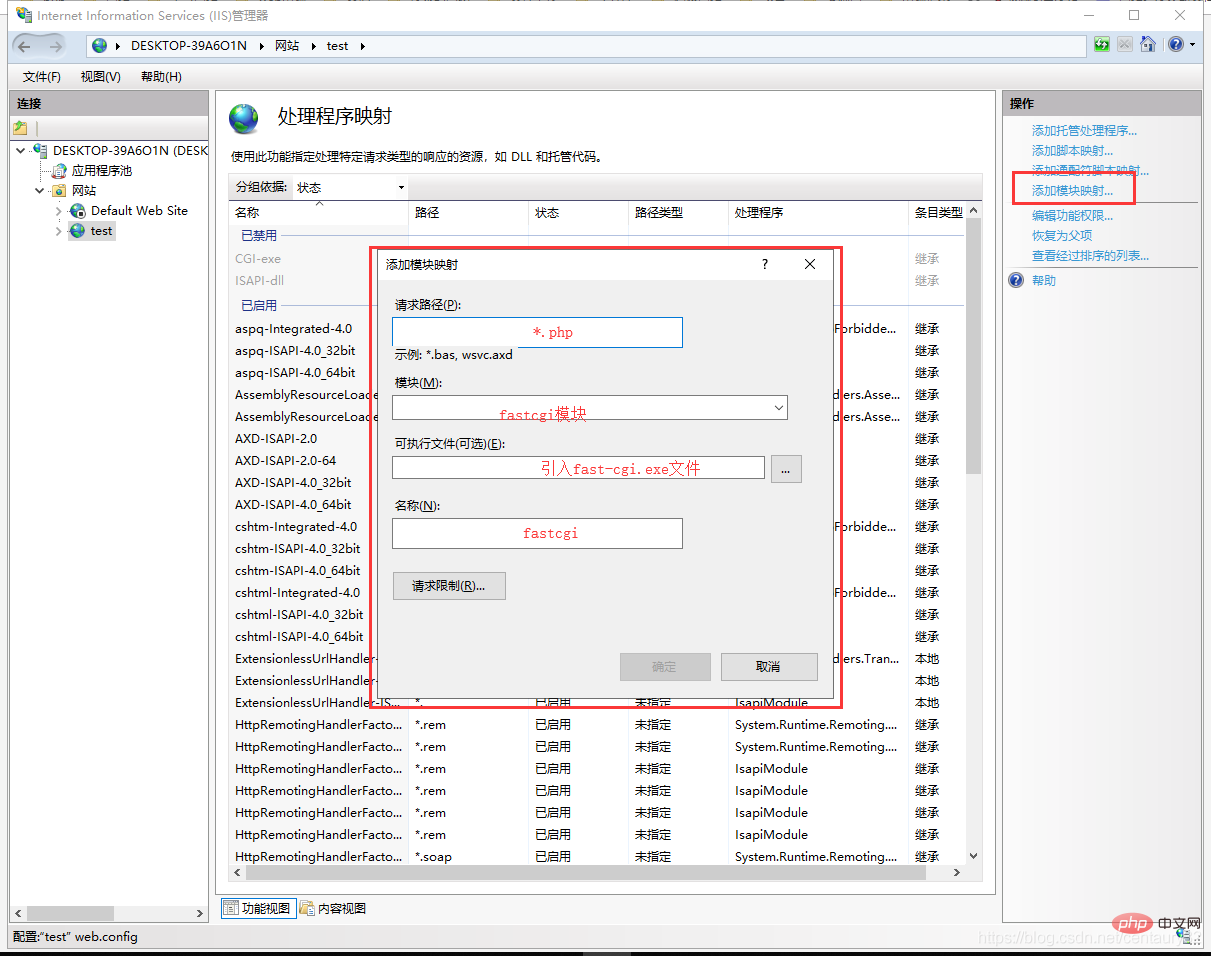
3、PHP设置 点击创建好的网站,点击“处理程序映射”,点击右侧的“添加映射模块”,在弹出层中输入对应的参数,点击确认 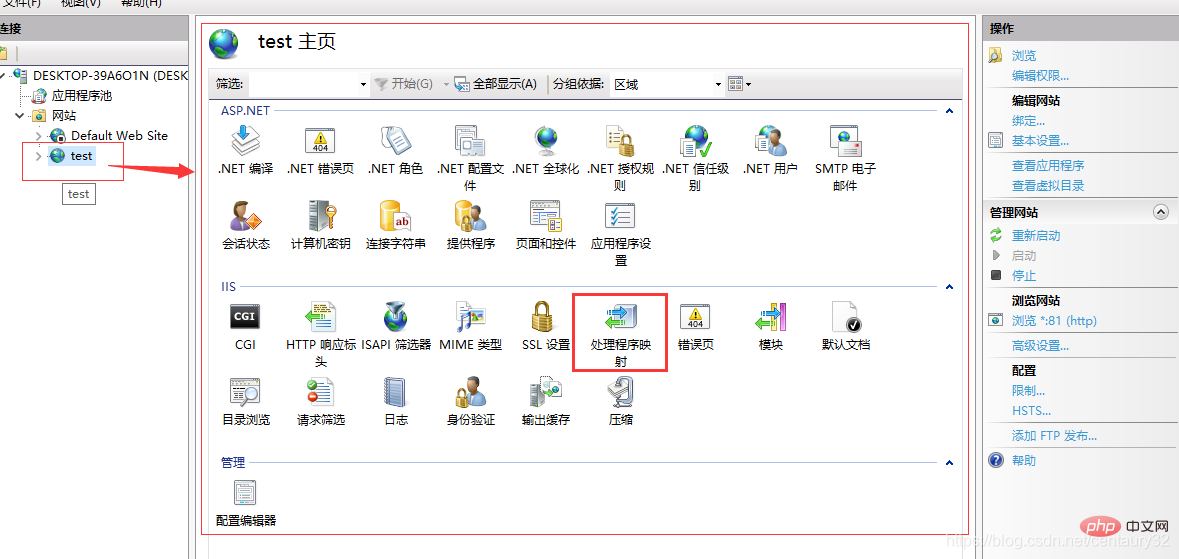
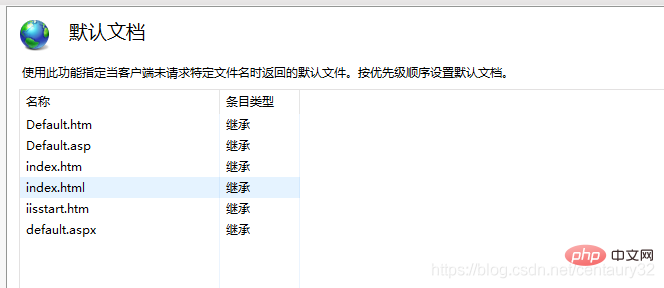
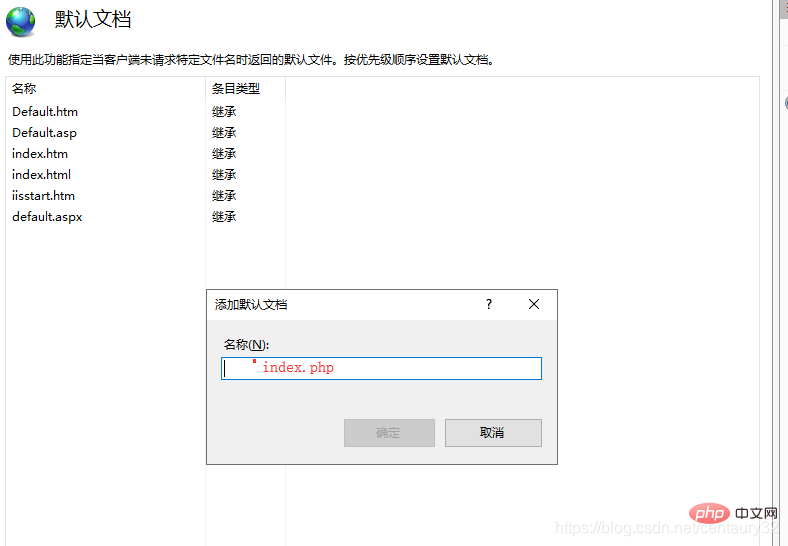
设置默认文档 点击“默认文档”,鼠标右击“添加”按钮,添加默认文档,输入index.php,点击“确定”添加 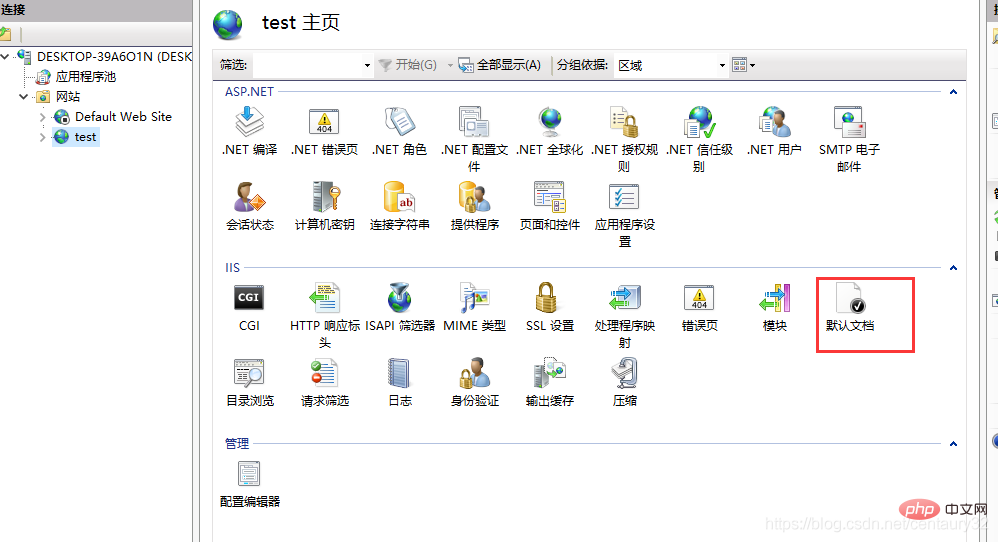
4、安装urlrewrite 5、使用URL重写 点击“URL重写”,点击右侧的“导入规则”,选择要导入的规则文件,点击应用即可 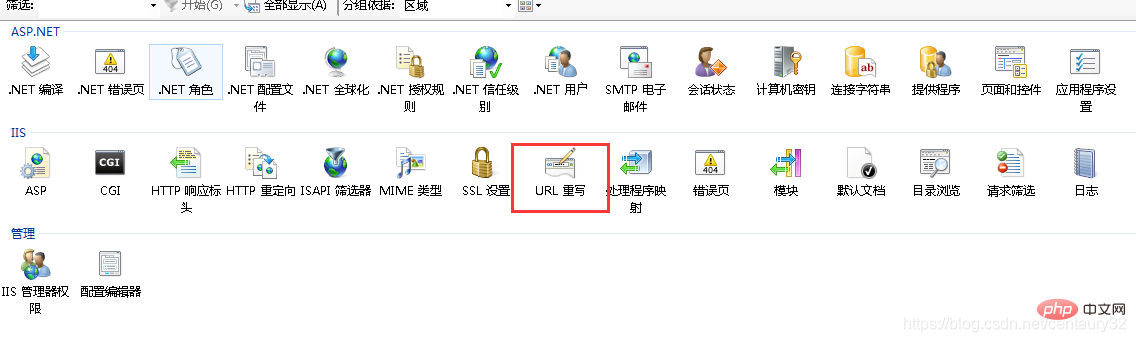 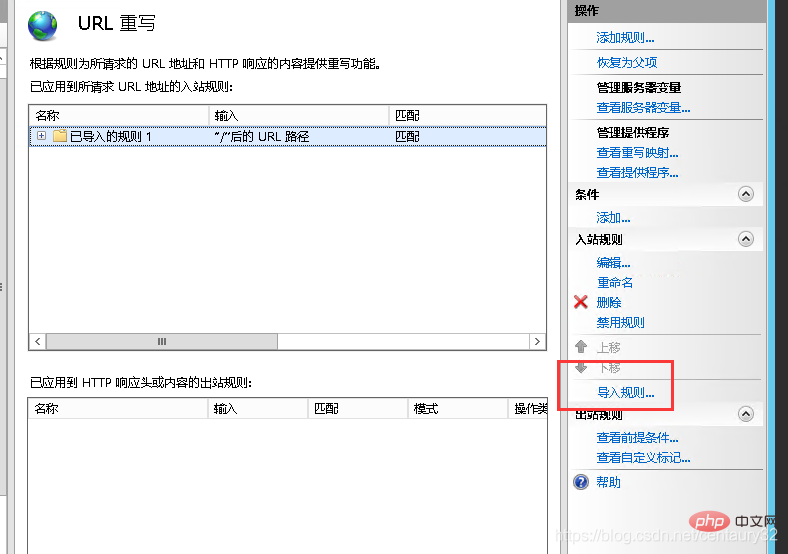
应用规则后,网站所在根目录会生成一个web.config文件,我这个用的是thinkphp的.htaccess文件导入的规则 文件内容: <?xml version="1.0" encoding="UTF-8"?>
<configuration>
<system.webServer>
<rewrite>
<rules>
<rule name="已导入的规则 1" stopProcessing="true">
<match url="^(.*)$" ignoreCase="false" />
<conditions logicalGrouping="MatchAll">
<add input="{REQUEST_FILENAME}" matchType="IsDirectory" ignoreCase="false" negate="true" />
<add input="{REQUEST_FILENAME}" matchType="IsFile" ignoreCase="false" negate="true" />
</conditions>
<action type="Rewrite" url="index.php/{R:1}" appendQueryString="true" />
</rule>
</rules>
</rewrite>
<handlers>
<add name="php-cgi" path="*.php" verb="*" modules="FastCgiModule" scriptProcessor="D:\phpStudy\php56n\php-cgi.exe" resourceType="File" />
</handlers>
<defaultDocument>
<files>
<add value="index.php" />
</files>
</defaultDocument>
</system.webServer>
</configuration>以上就是看看在IIS上部署PHP网站的方法的详细内容,更多请关注模板之家(www.mb5.com.cn)其它相关文章! |



