 正确安装redis的方法如下: 1、redis官方下载地址:https://redis.io/download,redis 64位下载地址:https://github.com/ServiceStack/redis-windows,本人测试使用的是redis-64.3.0.503版本。 (学习视频分享:redis视频教程) 2、解压redis-64.3.0.503.zip,解压后的文件结构如下: 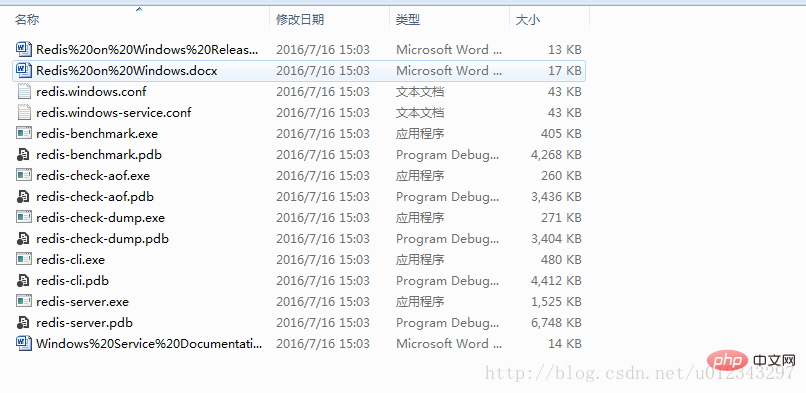
3、修改redis.windows.conf文件,设置maxmemory 大小 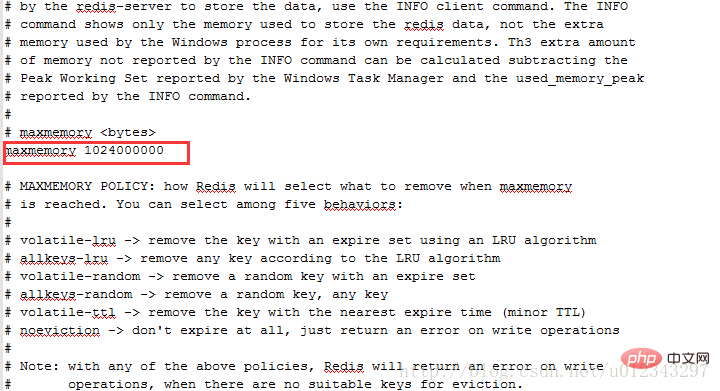
4、设置redis密码 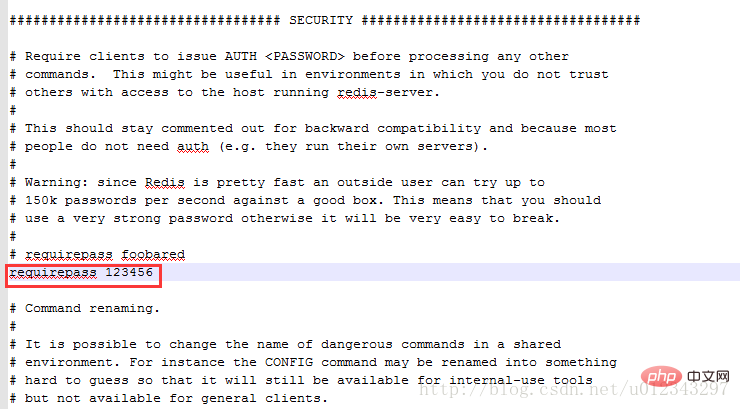
5、启动redis: redis-server.exe redis.windows.conf 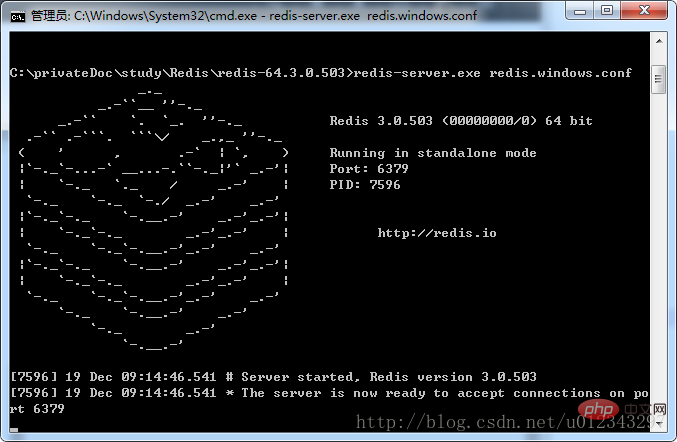
6、测试,成功安装: 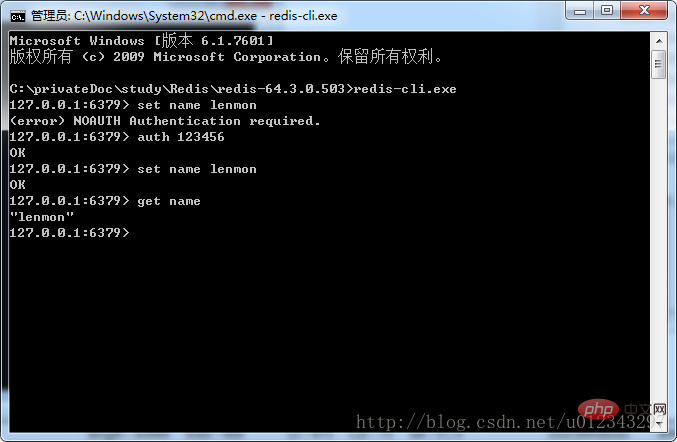
7、将redis加入到windows的服务中(service和loglevel前都是两个-) redis-server –service-install redis.windows.conf –loglevel verbose 相关推荐:redis数据库教程 以上就是windows下如何正确安装redis的详细内容,更多请关注模板之家(www.mb5.com.cn)其它相关文章! |



