python视频教程栏目精炼介绍如何爬取全英雄皮肤。
免费推荐:python视频教程 距离上次写爬虫文章已经过了许久了,之前写过一篇20行Python代码爬取王者荣耀全英雄皮肤
,反响强烈,其中有很多同学希望我再写一篇针对英雄联盟官网的皮肤爬取,但苦于事情繁多,便一拖再拖,一直拖到了现在,那么本篇文章我们就一起来学习一下如何爬取英雄联盟全英雄皮肤。 爬取代码非常简单,从上到下可能只需要写30行左右就能完成,但重要的是分析过程,在此之前,我们先来了解一下本篇文章需要用到的模块。 requests模块介绍首先是requests模块,这是一个模拟浏览器请求的模块,我们可以通过它来获取网页上的信息,比如百度: import requests
url = 'http://www.baidu.com'response = requests.get(url)print(response.text) 运行结果:
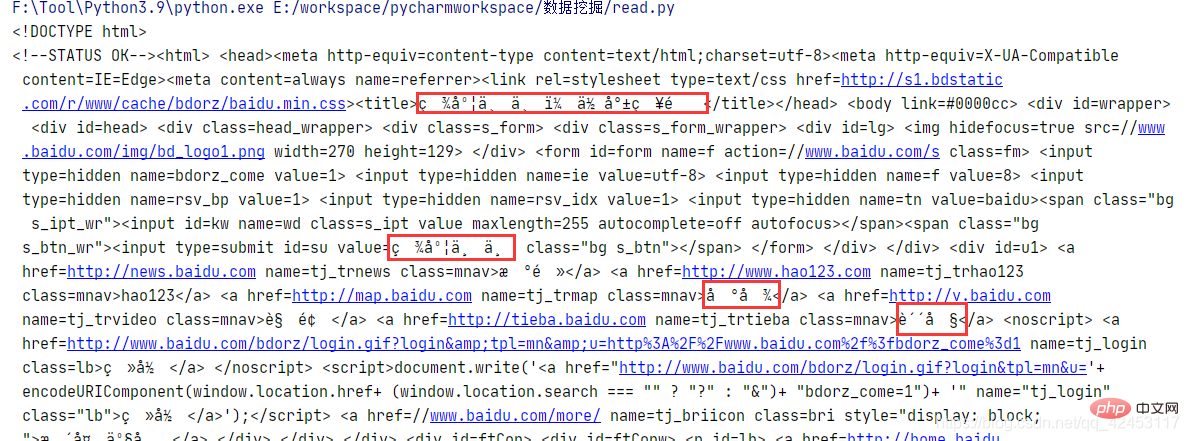
通过get函数就能够向指定参数的url发送请求,得到的response对象中封装了很多响应的信息,其中的text即为响应内容,注意到获取的内容里有乱码,这是编解码不一致造成的,只需先获取二进制数据,然后重新解码即可: import requests
url = 'http://www.baidu.com'response = requests.get(url)print(response.content.decode()) 运行结果:
 json模块json模块可以对json字符串和Python数据类型进行相互转换,比如将json转换为Python对象: import json
json_str = '{"name":"zhangsan","age":"20"}'rs = json.loads(json_str)print(type(rs))print(rs)使用loads函数即可将json字符串转为字典类型,运行结果: <class 'dict'>
{'name': 'zhangsan', 'age': '20'}而若是想将Python数据转为json字符串,也非常简单: import json
str_dict = {'name': 'zhangsan', 'age': '20'}json_str = json.dumps(str_dict)print(type(json_str))print(json_str)通过dumps函数即可将Python数据转为json字符串,运行结果: <class 'str'>
{"name": "zhangsan", "age": "20"}准备工作前面介绍了两个模块,通过这两个模块我们就能够完成这个程序了。
在正式开始编写代码之前,我们首先需要分析数据来源,来到官网:https://lol.qq.com/main.shtml,往下拉找到英雄列表:
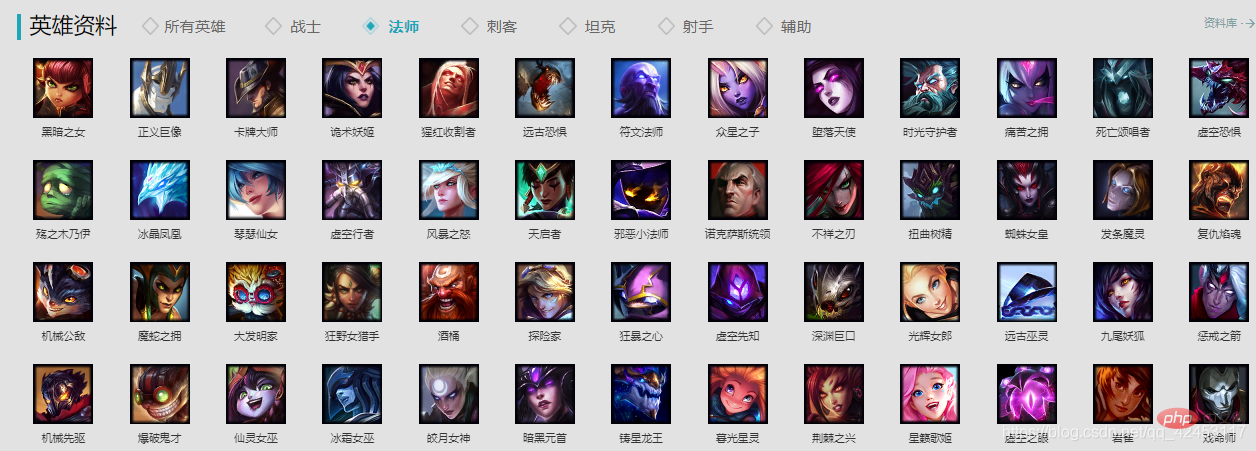
我们随意点击一个英雄进去查看:
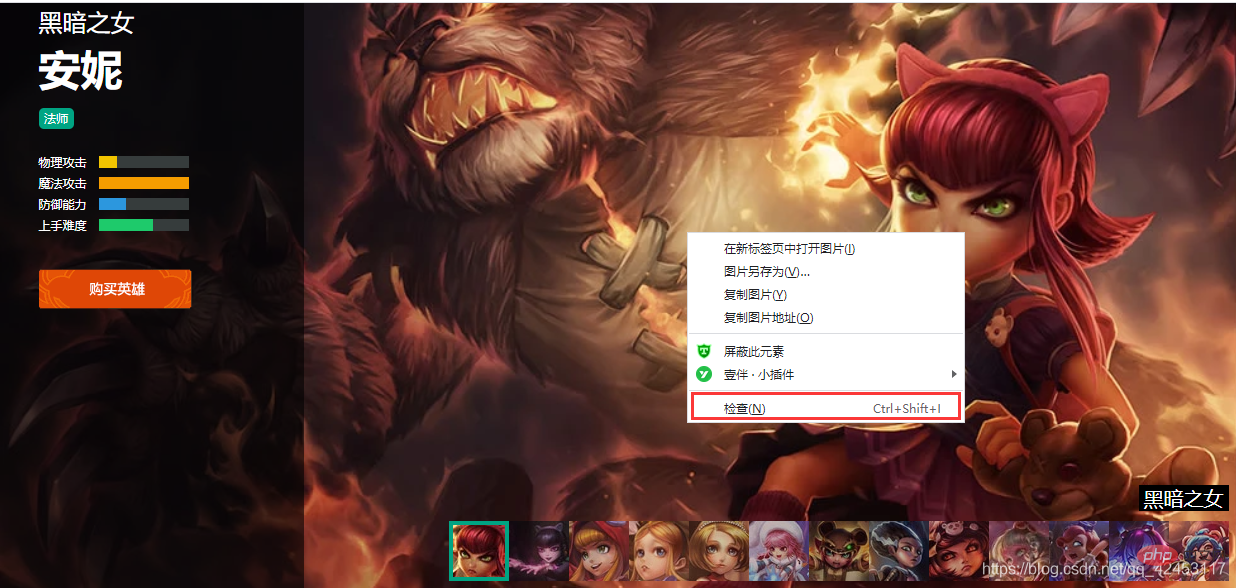
在皮肤图片上右键点击检查: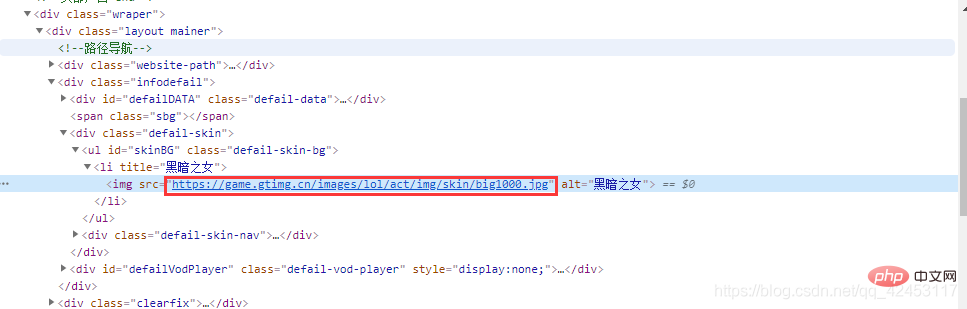
这样就找到了这个皮肤的url,我们再选择第二个皮肤,看看它的url:
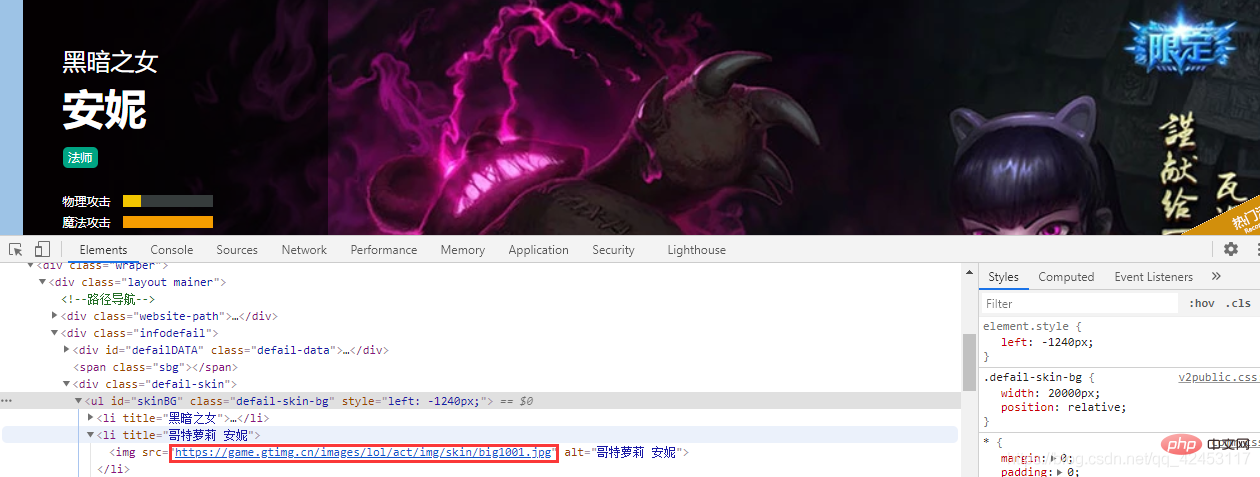
我们将安妮所有皮肤的url全部拿出来看看: https://game.gtimg.cn/images/lol/act/img/skin/big1000.jpg
https://game.gtimg.cn/images/lol/act/img/skin/big1001.jpg
https://game.gtimg.cn/images/lol/act/img/skin/big1002.jpg
https://game.gtimg.cn/images/lol/act/img/skin/big1003.jpg
https://game.gtimg.cn/images/lol/act/img/skin/big1004.jpg
https://game.gtimg.cn/images/lol/act/img/skin/big1005.jpg
https://game.gtimg.cn/images/lol/act/img/skin/big1006.jpg
https://game.gtimg.cn/images/lol/act/img/skin/big1007.jpg
https://game.gtimg.cn/images/lol/act/img/skin/big1008.jpg
https://game.gtimg.cn/images/lol/act/img/skin/big1009.jpg
https://game.gtimg.cn/images/lol/act/img/skin/big1010.jpg
https://game.gtimg.cn/images/lol/act/img/skin/big1011.jpg
https://game.gtimg.cn/images/lol/act/img/skin/big1012.jpg 从这些url中能发现什么规律呢?其实规律非常明显,url前面的内容都是一样的,唯一不同的是big1000.jpg,而每个皮肤图片就是在该url的基础上加1。 那么问题来了,它是如何区分这张图片所属的英雄的呢?我们观察浏览器上方的地址:
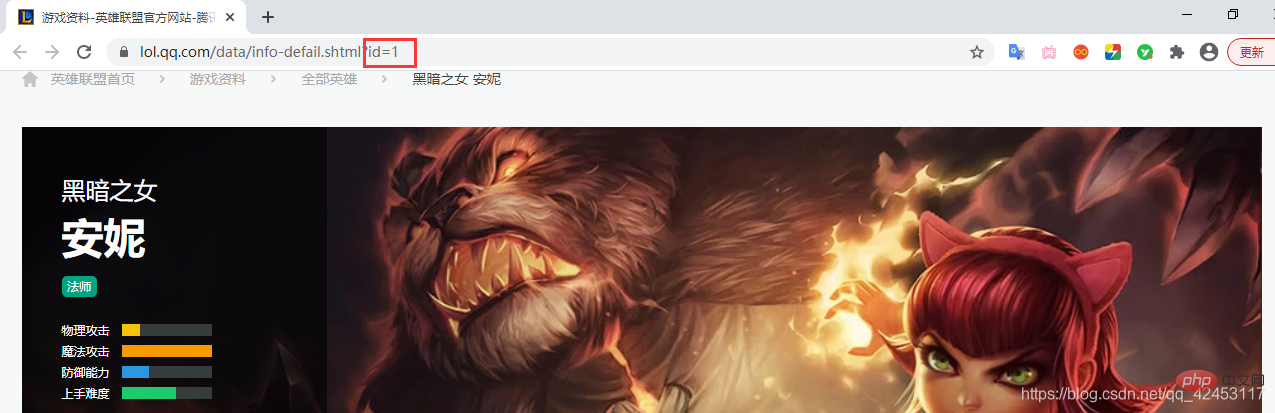
地址上有一个属性值id为1,那么我们可以猜测一下,皮肤图片url中的big1000.jpg是不是由英雄id和皮肤id共同组成的呢? 要想证明我们的猜想,就必须再去看看其它英雄皮肤是不是也满足这一条件:
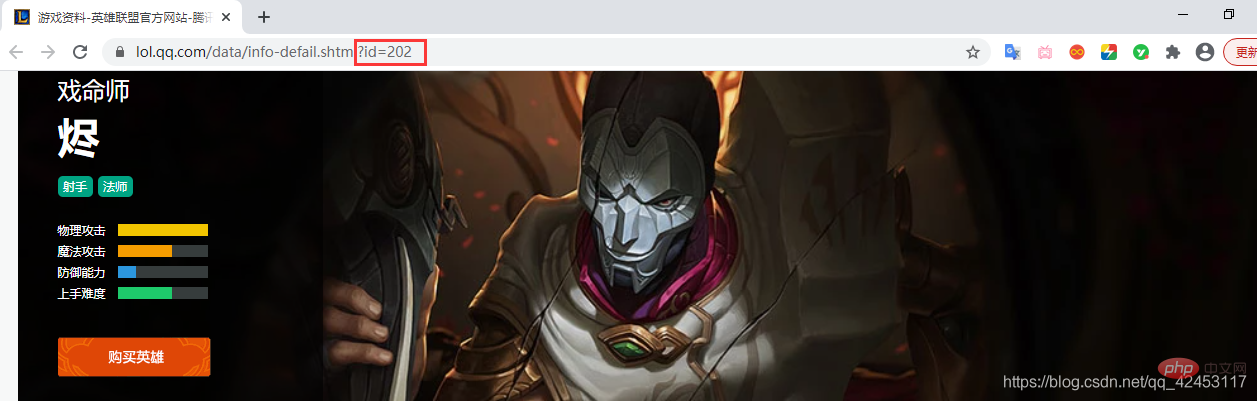
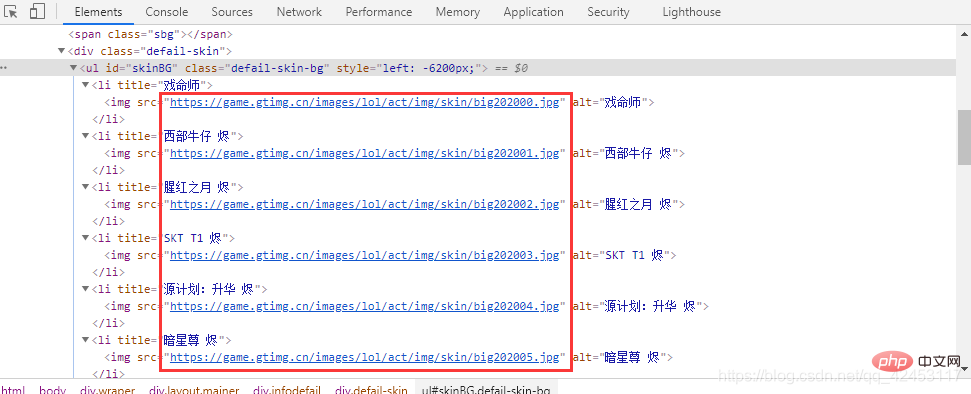
打开烬的详情页面,其id为202,由此,烬的皮肤图片url最后部分应为:big ' + 202 + ' 皮肤编号.jpg,所以其url应为: https://game.gtimg.cn/images/lol/act/img/skin/big202000.jpg
https://game.gtimg.cn/images/lol/act/img/skin/big202001.jpg
https://game.gtimg.cn/images/lol/act/img/skin/big202002.jpg
https://game.gtimg.cn/images/lol/act/img/skin/big202003.jpg
https://game.gtimg.cn/images/lol/act/img/skin/big202004.jpg
https://game.gtimg.cn/images/lol/act/img/skin/big202005.jpg 事实是不是如此呢?检查一下便知:
规律已经找到,但是我们还面临着诸多问题,比如每个英雄对应的id是多少呢?每个英雄又分别有多少个皮肤呢? 查询英雄id先来解决第一个问题,每个英雄对应的id是多少?我们只能从官网首页中找找线索,在首页位置打开网络调试台:
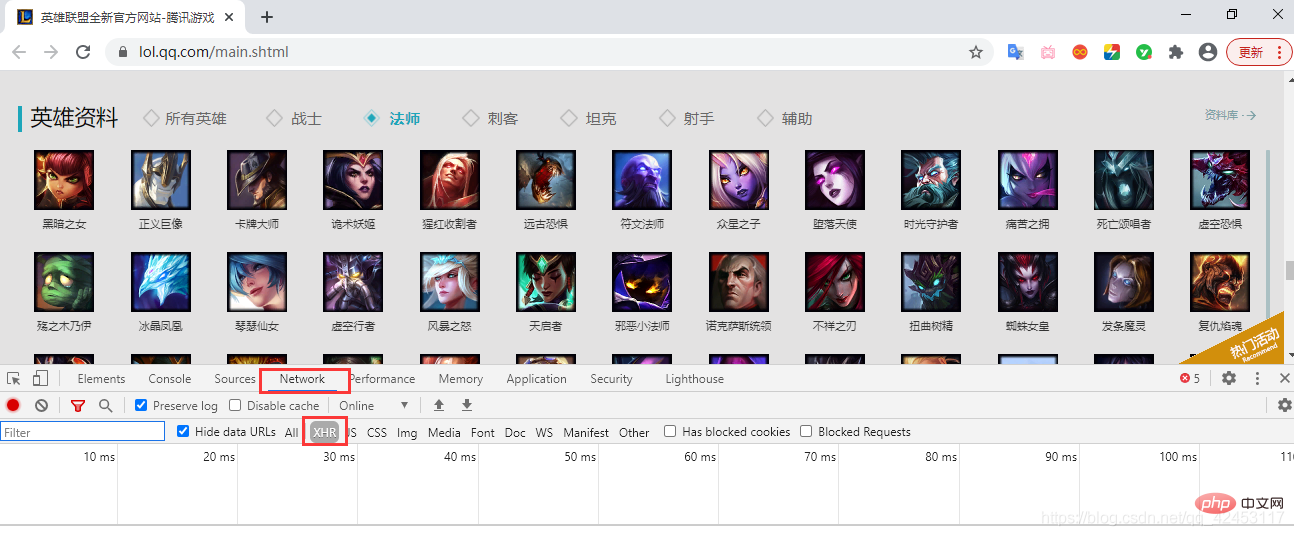
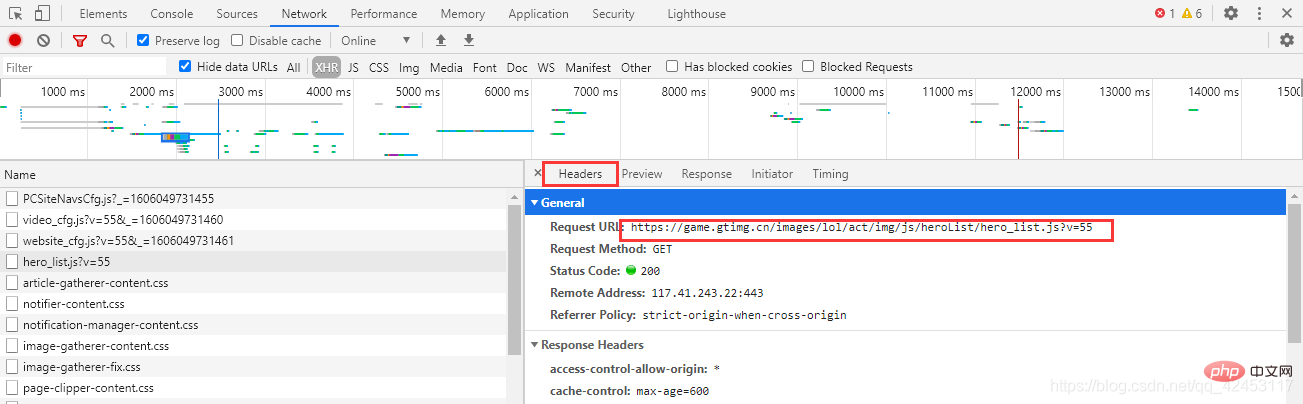
点击Network,并选中XHR,XHR是浏览器与服务器请求数据所依赖的对象,所以通过它便能筛选出一些服务器的响应数据。
此时我们刷新页面,在筛选出的内容发现了这么一个东西:
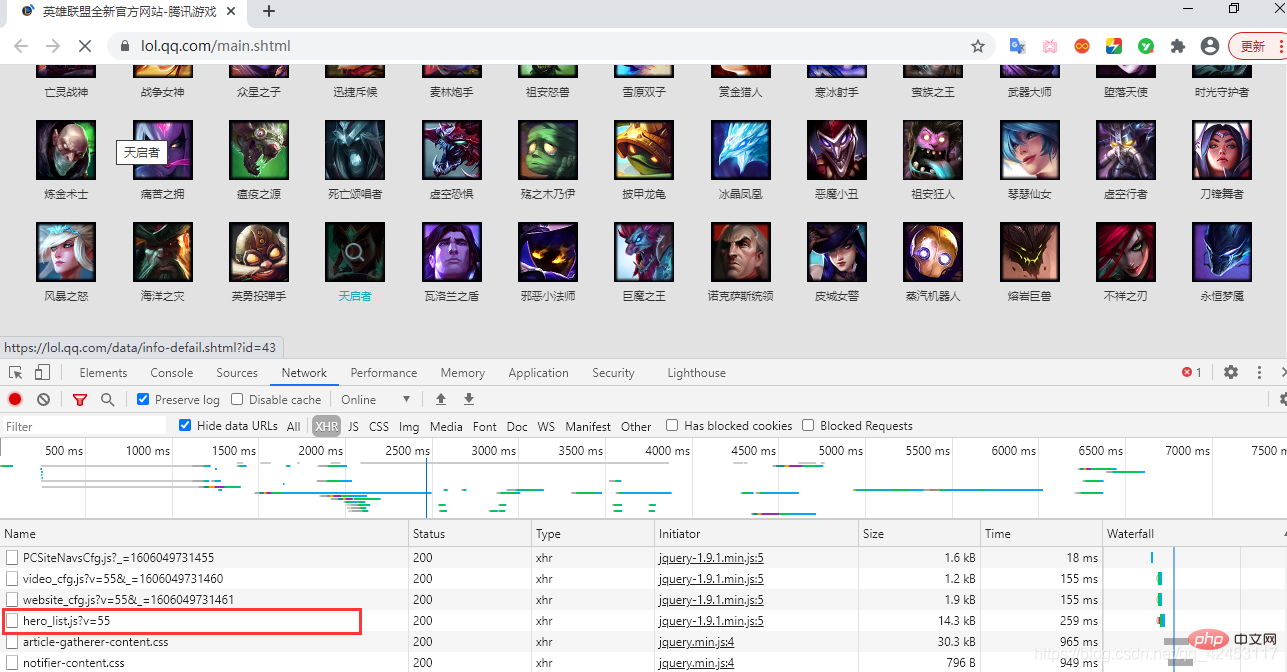
hero_list,英雄列表?这里面会不会存储着所有英雄的信息呢?
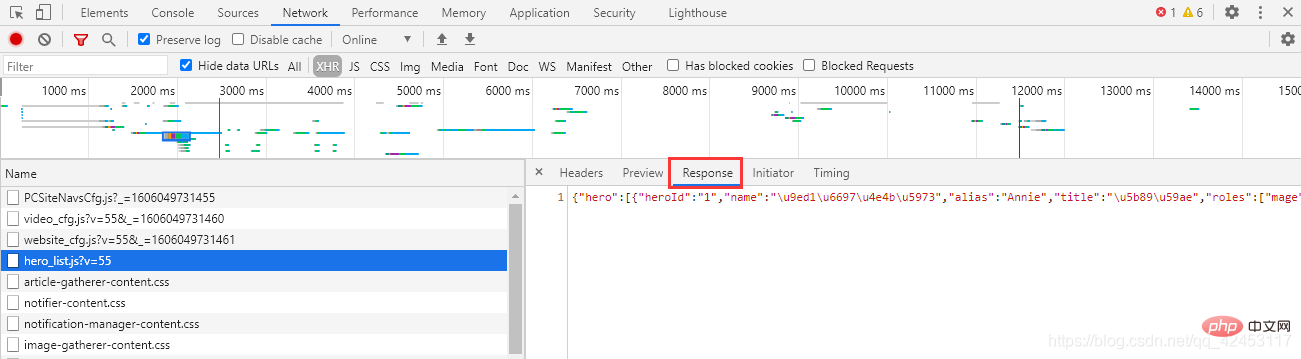
点击右侧的Response,得到了一串json字符串,我们将其解析一下:
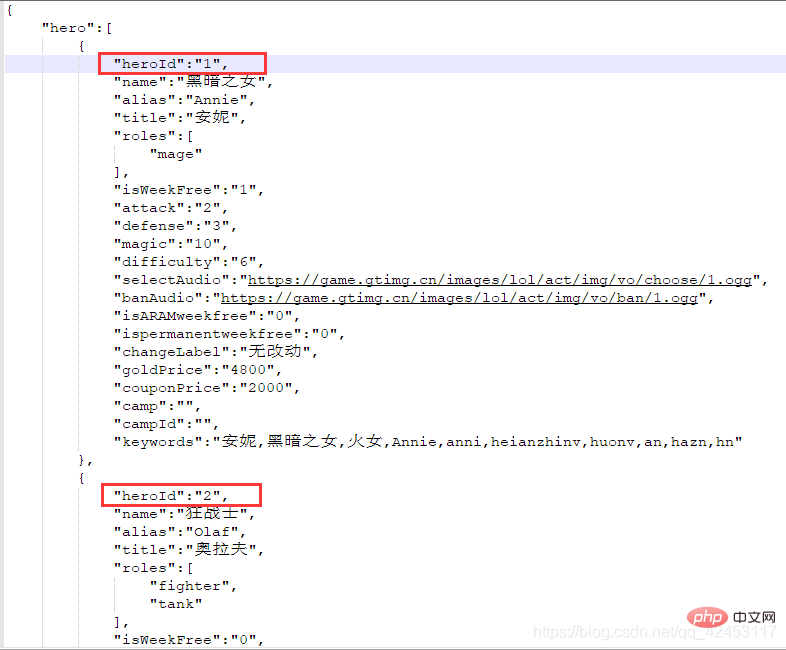
这些数据里果然存储的是英雄的信息,包括名字、id、介绍等等,那么接下来我们的任务就是将英雄名字和id单独提取出来,过滤掉其它信息。 忘了告诉你们了,这个文件的url在这里可以找到:
接下来开始写代码: import jsonimport requests# 定义一个列表,用于存放英雄名称和对应的idhero_id = []url = 'https://game.gtimg.cn/images/lol/act/img/js/heroList/hero_list.js?v=20'response = requests.get(url)text = response.text# 将json字符串转为列表hero_list = json.loads(text)['hero']# 遍历列表for hero in hero_list:
# 定义一个字典
hero_dict = {'name': hero['name'], 'id': hero['heroId']}
# 将列表加入字典
hero_id.append(hero_dict)print(hero_id)首先通过requests模块请求该url,就能够获取到一个json字符串,然后使用json模块将该字符串转为Python中的列表,最后循环取出每个英雄的name和heroid属性,放入新定义的列表中,这个程序就完成了英雄id的提取。 查询皮肤个数接下来解决第二个问题,如何知晓某个英雄究竟有多少个皮肤,按照刚才的思路,我们可以猜测一下,对于皮肤也应该会有一个文件存储着皮肤信息,在某个英雄的皮肤页面打开网络调试台,并选中XHR,刷新页面,找找线索:
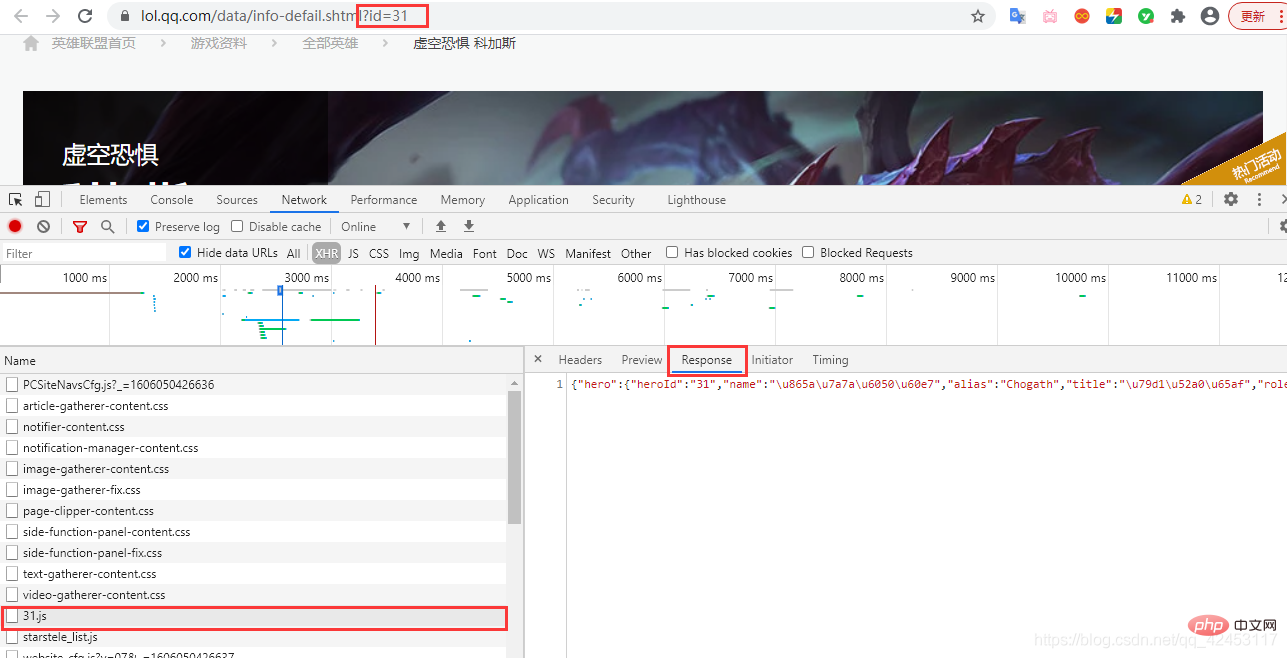
找来找去确实找不到有哪个文件是跟皮肤有关系的,但是这里发现了一个31.js文件,而当前英雄的id也为31,这真的是巧合吗?我们将右边的json字符串解析一下:
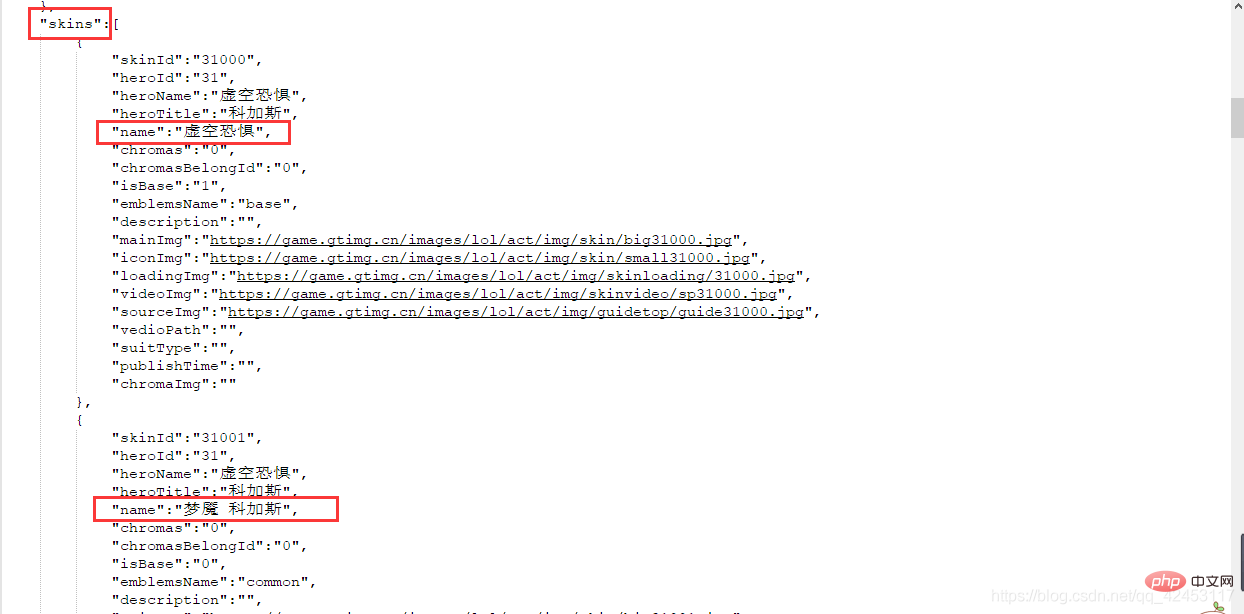
该json数据中有一个skins属性,该属性值即为当前英雄的皮肤信息,既然找到了数据,那接下来就好办了,开始写代码: import jsonimport requests
url = 'https://game.gtimg.cn/images/lol/act/img/js/hero/31.js'response = requests.get(url)text = response.text# 将json字符串转为列表skins_list = json.loads(text)['skins']skin_num = len(skins_list) 源程序实现准备工作已经完成了我们所有的前置任务,接下来就是在此基础上编写代码了: import requestsimport jsonimport osimport tracebackfrom tqdm import tqdmdef spider_lol():
# 定义一个列表,用于存放英雄名称和对应的id
hero_id = []
skins = []
url = 'https://game.gtimg.cn/images/lol/act/img/js/heroList/hero_list.js?v=20'
response = requests.get(url)
text = response.text # 将json字符串转为列表
hero_list = json.loads(text)['hero']
# 遍历列表
for hero in hero_list:
# 定义一个字典
hero_dict = {'name': hero['name'], 'id': hero['heroId']}
# 将列表加入字典
hero_id.append(hero_dict)
# 得到每个英雄对应的id后,即可获得英雄对应皮肤的url
# 英雄id + 001
# 遍历列表
for hero in hero_id:
# 得到英雄名字
hero_name = hero['name']
# 得到英雄id
hero_id = hero['id']
# 创建文件夹
os.mkdir('C:/Users/Administrator/Desktop/lol/' + hero_name)
# 进入文件夹
os.chdir('C:/Users/Administrator/Desktop/lol/' + hero_name)
# 得到id后即可拼接存储该英雄信息的url
hero_info_url = 'https://game.gtimg.cn/images/lol/act/img/js/hero/' + hero_id + '.js'
# 通过访问该url获取英雄的皮肤数量
text = requests.get(hero_info_url).text
info_list = json.loads(text)
# 得到皮肤名称
skin_info_list = info_list['skins']
skins.clear()
for skin in skin_info_list:
skins.append(skin['name'])
# 获得皮肤数量
skins_num = len(skin_info_list)
# 获得皮肤数量后,即可拼接皮肤的url,如:安妮的皮肤url为:
# https://game.gtimg.cn/images/lol/act/img/skin/big1000.jpg ~ https://game.gtimg.cn/images/lol/act/img/skin/big1012
s = ''
for i in tqdm(range(skins_num), '正在爬取' + hero_name + '的皮肤'):
if len(str(i)) == 1:
s = '00' + str(i)
elif len(str(i)) == 2:
s = '0' + str(i)
elif len(str(i)) == 3:
pass
try:
# 拼接皮肤url
skin_url = 'https://game.gtimg.cn/images/lol/act/img/skin/big' + hero_id + '' + s + '.jpg'
# 访问当前皮肤url
im = requests.get(skin_url)
except:
# 某些英雄的炫彩皮肤没有url,所以直接终止当前url的爬取,进入下一个
continue
# 保存图片
if im.status_code == 200:
# 判断图片名称中是否带有'/'、'\'
if '/' in skins[i] or '\\' in skins[i]:
skins[i] = skins[i].replace('/', '')
skins[i] = skins[i].replace('\\', '')
with open(skins[i] + '.jpg', 'wb') as f:
f.write(im.content)def main():
try:
spider_lol()
except Exception as e:
# 打印异常信息
print(e)if __name__ == '__main__':
main()运行效果:
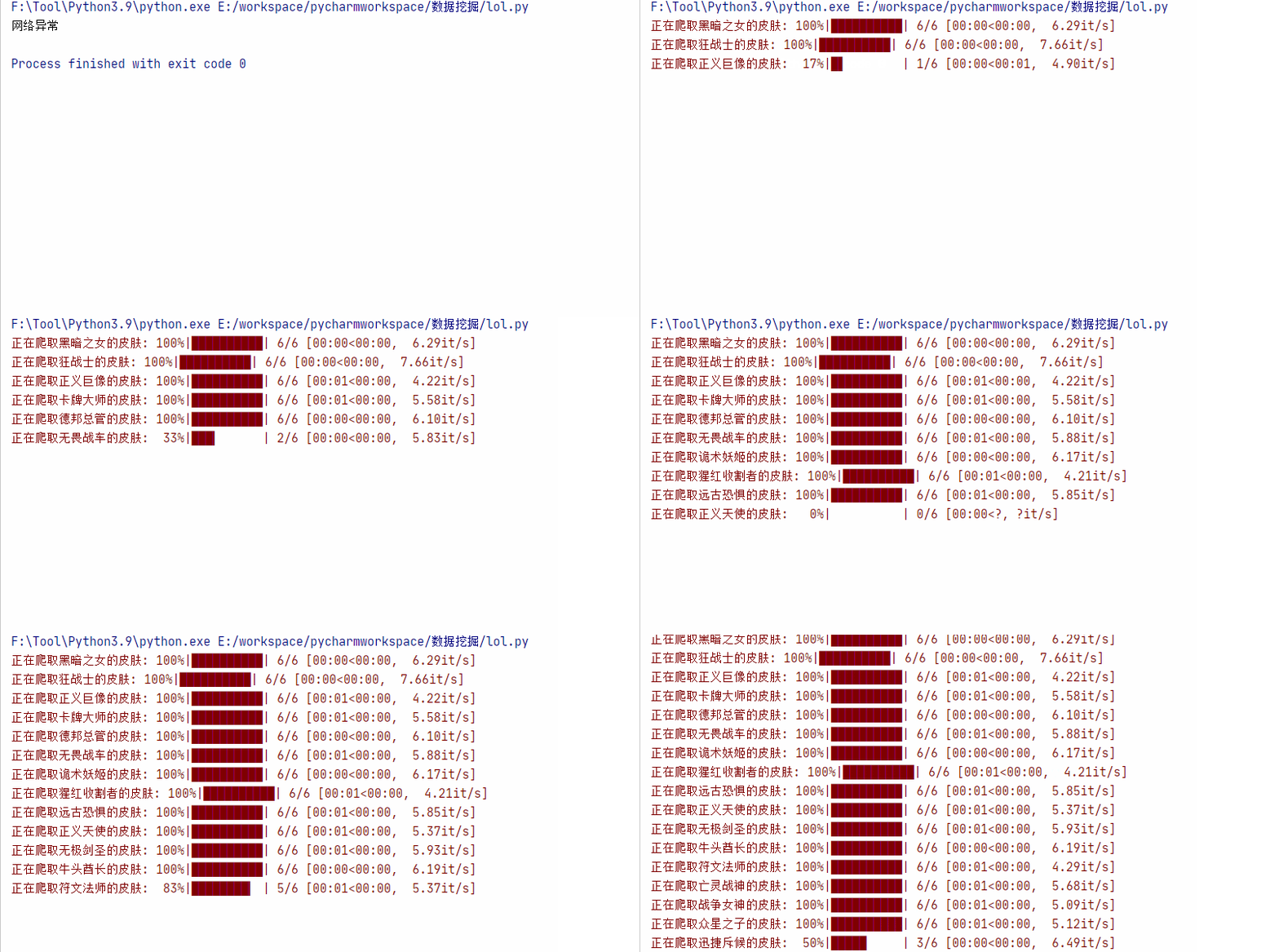
运行之前记得在桌面上创建一个lol文件夹,如果想改动的话也可以修改程序:
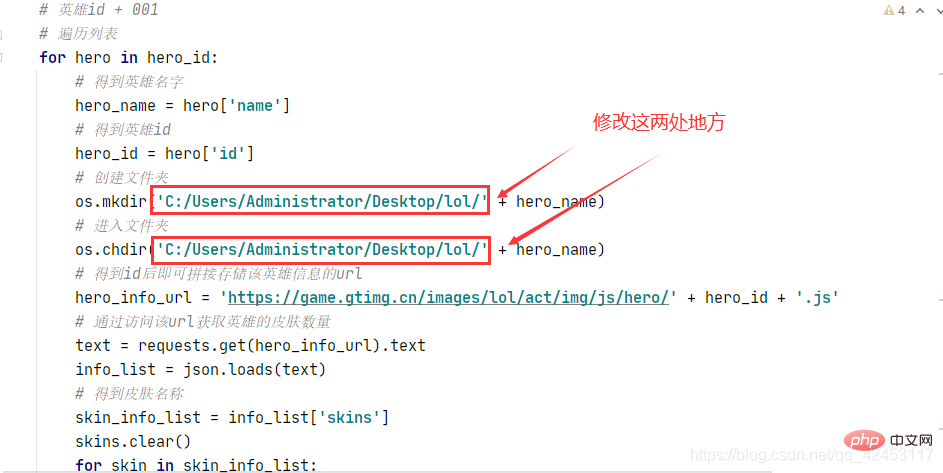
程序中还考虑到了一些其它情况,比如在爬取这个皮肤的时候会出现问题:
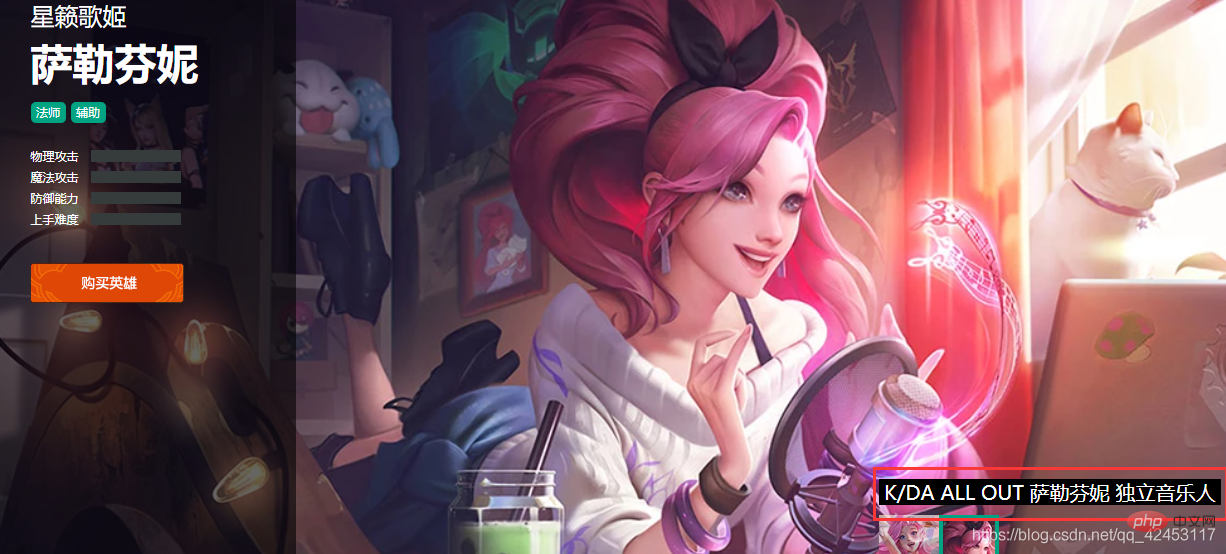
因为图片路径是以皮肤名字命名的,然而这个皮肤的名字中竟然有个/,它是会影响到我们的图片保存操作的,所以在保存前将斜杠替换成空字符即可。 还有一个问题就是即使是第一个皮肤,其编号也应该为000而不是0,所以还需要对其进行一个转化,让其始终是三位数。 最后本篇文章同样继承了上篇文章精简的特点,抛去注释的话总共30行代码左右,程序当然还有一些其它地方可以进一步优化,这就交给大家自由发挥了。 以上就是厉害了,30行python代码爬取英雄联盟全英雄皮肤的详细内容,更多请关注模板之家(www.mb5.com.cn)其它相关文章! |



